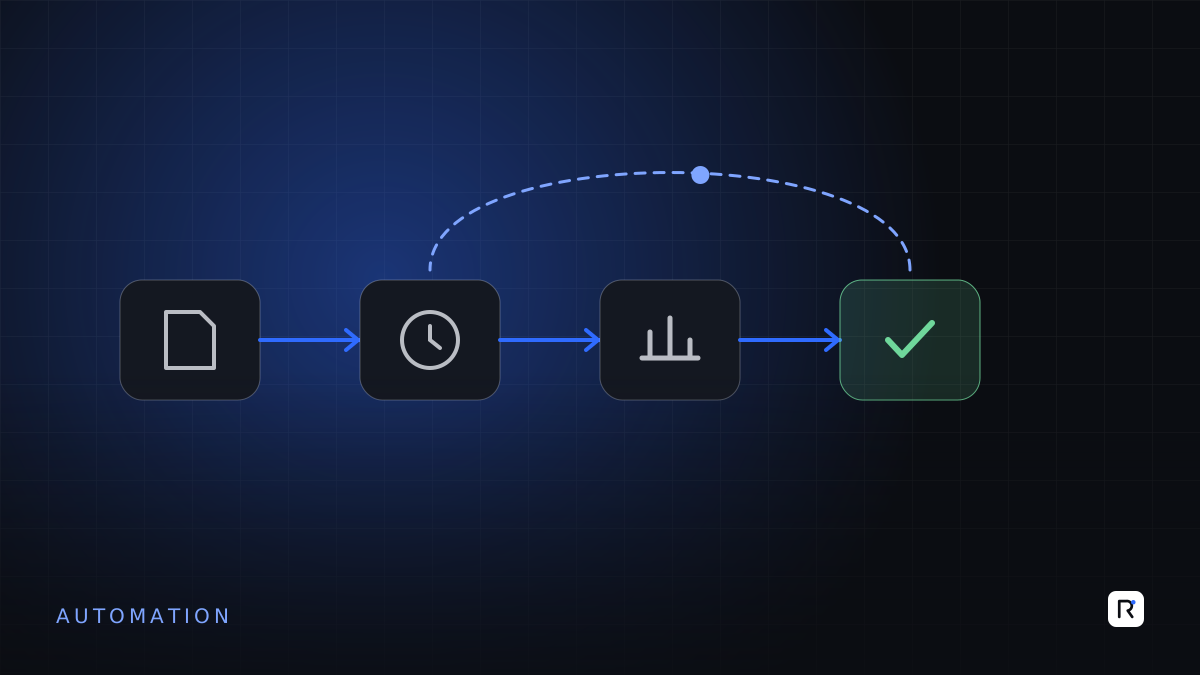
Every month, HR and accounts teams in many mid-size businesses go through the same exercise. Attendance is exported from the punch machine, cleaned in Excel, matched against handwritten leave forms and overtime sheets, and finally turned into a salary sheet. Questions from workers about deductions take days to answer. Corrections arrive after the salary has been paid. The process works, but only because a few people work very hard at the end of each month.
Automating attendance, leave and payroll is one of the most practical software investments a growing business can make. It is also one of the most sensitive, because it touches people's pay and the law. This article explains what to automate, the legal points your rules must reflect, and how to switch over without disrupting a single salary run.
Why this process is worth fixing
- It repeats every month, with the same steps and the same pressure to finish on time.
- Errors have a human cost. A wrong deduction damages trust far more than its value suggests.
- The rules are knowable. Leave entitlements, overtime rates and payment deadlines can be written down and applied consistently by a system.
- Records matter. Buyer audits, labour inspections and disputes all depend on attendance, leave and pay records you can produce quickly.
Know the legal baseline first
Your system must apply the law correctly before it applies your company policy. For establishments covered by the Bangladesh Labour Act, 2006, the consolidated text published on the government's legal database (which reflects amendments up to and including the Bangladesh Labour (Amendment) Act, 2026) includes, among other provisions:
- Working hours. An adult worker should ordinarily not work more than eight hours a day (section 100) or 48 hours a week (section 102). With overtime, weekly hours must not exceed 60, and must not average more than 56 a week over a year.
- Overtime. Overtime is paid at twice the ordinary rate of basic wage and dearness allowance, plus ad hoc or interim wages if any (section 108). The section notes this does not apply to piece-rate workers.
- Casual leave. Ten days with full wages each calendar year, not carried forward (section 115).
- Sick leave. Fourteen days with full wages each calendar year for most workers (section 116).
- Annual leave. For an adult worker with one year's continuous service in a shop, commercial or industrial establishment, factory or road transport establishment, one day for every eighteen days of work (section 117).
- Festival holidays. Thirteen days with wages each calendar year, increased from eleven by the 2026 amendment (section 118).
- Maternity benefit. Sixty days before the expected date of delivery and sixty days after, replacing the previous eight weeks each side, for a worker with at least six months' service (section 46).
- Payment deadlines. Wages must be paid within seven working days after the end of the wage period, and all dues on termination within thirty working days (section 123).
- Digital payment. Wages may be paid by electronic transfer to the worker's bank account or another digital method, where applicable and at the worker's request (section 124).
The 2026 amendment changed several provisions, and rules and guidance may follow. Different arrangements can also apply to particular sectors, roles and zones. Have a lawyer or labour law adviser confirm your rule set before it goes into software, and plan for the rules to be updated.
Write the rules down and get them approved before anyone writes code. A payroll system can only be as correct as the policy it is given.
What to automate, step by step
1. Employee master data
One clean record per employee: ID, grade, department, line or section, shift, joining date, salary structure, bank or mobile account and leave balances. This is the foundation. Most payroll errors trace back to an out-of-date master record.
2. Attendance capture
Pull punches from biometric or card devices automatically, rather than exporting files by hand. Apply shift rules to calculate late arrivals, early departures, absence and overtime. Show supervisors exceptions to confirm, such as missing punches, instead of asking them to check every record.
3. Leave requests and approvals
Employees or supervisors apply for leave through a simple form or app. The system checks the balance, routes the request for approval and updates attendance. Balances are visible to the employee, which removes a large share of questions to HR.
4. Overtime approval
Overtime should be approved before or on the day it is worked, by the responsible manager, and checked automatically against the legal limits. Overtime discovered at month-end is hard to control and harder to explain.
5. Payroll calculation
Gross pay, allowances, overtime, attendance bonus, deductions, advances and tax are calculated from the approved data and the agreed rules. HR reviews exceptions and variances against last month, not every line.
6. Payment and payslips
Generate the bank or mobile payment file and a payslip for each employee, in Bangla where helpful, showing exactly how the figure was reached.
7. Records and reports
Keep attendance, leave, overtime and payment history searchable by employee and period, ready for audits, inspections and dispute resolution.
Switching over safely
- Document current rules, including the unwritten ones, and resolve any conflicts with the law.
- Clean the master data and opening leave balances, and have department heads confirm them.
- Run in parallel for at least two pay cycles. Calculate payroll both ways and investigate every difference.
- Go live with one unit or department first if your organisation is large.
- Keep a clear correction process for genuine mistakes after go-live, with approvals and an audit trail.
Common mistakes
- Automating manual workarounds. If attendance is adjusted by hand every month, find out why before building the adjustment into the system.
- Unlimited edit rights. Restrict who can change attendance and pay data, and log every change.
- Ignoring privacy. Salary, bank and biometric data are personal data. Limit access, protect backups and agree how long records are kept.
- Forgetting the worker's view. Clear payslips and visible leave balances build trust and reduce disputes.
Questions to ask before you start
- Has our leave, overtime and pay policy been checked against the current law?
- How many manual adjustments do we make to attendance each month, and why?
- Who is allowed to change pay data today, and is it recorded?
- Can every employee see their own leave balance?
- How quickly could we produce a worker's attendance and pay history for an audit?
Where RAED fits
We build and integrate attendance, leave and payroll systems that connect to your existing devices and accounts software, with rules configured from your approved policy. We work alongside your HR team and legal advisers rather than in place of them.
Sources
- Bangladesh Labour Act, 2006 (Act No. 42 of 2006), consolidated Bangla text including amendments by the Bangladesh Labour (Amendment) Act, 2026 (Act No. 43 of 2026), sections 46, 100, 102, 108, 115 to 118, 123 and 124. Laws of Bangladesh, Legislative and Parliamentary Affairs Division. bdlaws.minlaw.gov.bd