In most mid-size businesses, a surprising number of skilled people spend their days copying information from one document into another. Accounts staff key supplier invoices into the accounting system. Commercial teams re-type buyer purchase orders. Store staff transfer quantities from delivery challans into the receiving register. The work is necessary, repetitive and easy to get slightly wrong.
Reading documents is one of the areas where AI has become genuinely useful. Modern models can read scanned and photographed documents, find the fields that matter and return them in a structured form, even when every supplier uses a different layout. But they still make mistakes, sometimes confidently. This article explains how to use AI for documents in a way that saves time without letting errors slip into your books.
What AI document processing actually does
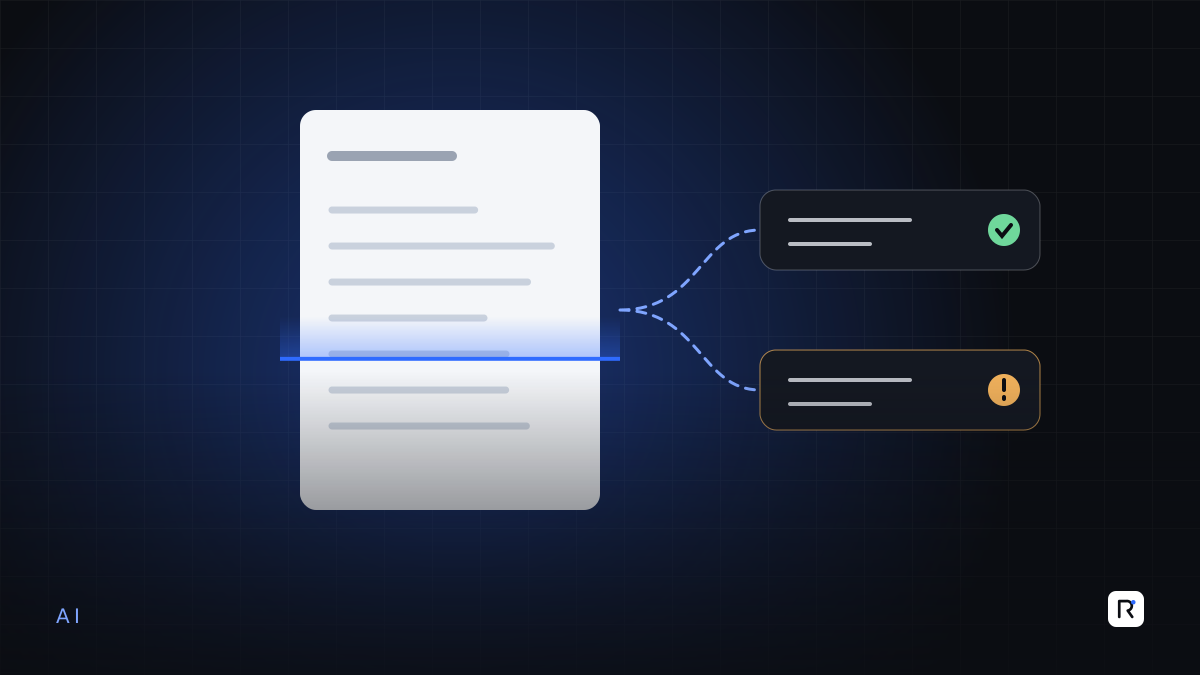
A typical setup has four steps:
- Capture. Documents arrive by email, scanner, phone camera or upload, and are collected in one place.
- Extraction. An AI model reads the document and pulls out fields such as supplier, invoice number, date, line items, quantities, prices and totals.
- Validation. Business rules check the extracted data against what you already know: is this a known supplier, does the purchase order exist, do the line totals add up?
- Review and posting. A person checks anything flagged, corrects it if needed and approves it. Only then does the data go into your accounting, ERP or inventory system.
The AI does the reading. Your rules and your people do the checking. Both are essential.
Good first candidates
- Supplier invoices. High volume, consistent fields, and a natural check against purchase orders and goods receipts.
- Buyer purchase orders. Long, detailed documents where re-typing errors in sizes, colours or quantities are costly.
- Delivery notes and challans. Useful for matching what arrived against what was ordered.
- Bank advices and payment confirmations. Helpful for matching receipts against customer invoices.
Choose one document type with enough volume to matter and a clear downstream check. Supplier invoices are often the best place to start.
Let AI do the reading and let your rules do the doubting. A person should approve anything the rules cannot confirm.
Designing the human review
Human review is not a sign that the AI has failed. It is how you keep control. The aim is to make review fast and focused, so people check what needs checking and nothing else.
Rules that decide what a person sees
- Match checks. Invoice quantities and prices compared with the purchase order and goods receipt, within agreed tolerances.
- Arithmetic checks. Line totals, tax and grand total recalculated and compared.
- Master data checks. Supplier, item codes and bank details matched to your existing records.
- Duplicate checks. The same supplier and invoice number, or the same amount and date, already seen.
- Confidence checks. Fields the model was unsure about, or that were unreadable, sent for review.
A review screen that respects people's time
- The original document and the extracted data side by side.
- Flagged fields highlighted, with the reason for the flag.
- Corrections made in place, and recorded.
- One clear action to approve, reject or send back.
Some things always need a person
Changes to a supplier's bank details, unusually large amounts and first invoices from a new supplier should always be reviewed, however confident the model is. These are the same points where fraud and costly errors tend to appear.
Measure it honestly
Before you start, record how long the current process takes and how many corrections are made after posting. During the pilot, track:
- How many documents pass all checks without correction.
- Which fields are corrected most often, and for which suppliers or layouts.
- Time from receipt to posting.
- Errors found after posting, which should fall, not rise.
These figures, from your own documents, tell you whether to extend the approach and where the model or the rules need adjusting. Do not rely on a vendor's general accuracy claims; accuracy varies widely with document quality, language and layout.
Data protection and control
Invoices, purchase orders and payment documents contain commercial and sometimes personal information. Before sending them to any AI service, settle:
- Where documents are processed and stored, and for how long.
- Whether the provider may use your documents to train its models, and how to opt out.
- Who in your organisation can see which documents.
- How you would export your data if you change provider.
Read the provider's business terms carefully, and choose a service that offers clear commitments on these points. Parliament passed the Personal Data Protection Bill, 2026 in April 2026, and some of the detail, such as breach notification timeframes, is left to regulations, so check the current position before relying on any assumption. Build in good practice now rather than waiting for every rule to be settled.
Common mistakes
- Posting straight to the ledger. Extraction without validation and review moves errors faster, not fewer.
- Starting with the hardest documents. Handwritten, poorly scanned or highly varied documents are a poor first test. Prove the routine on cleaner ones.
- No feedback loop. Corrections made by reviewers are valuable. Use them to improve prompts, rules and supplier-specific settings.
- Ignoring the source. Sometimes the best fix is asking major suppliers for electronic invoices, or connecting directly to a buyer portal, rather than reading a PDF at all.
A simple pilot plan
- Pick one document type and collect a representative sample, including the difficult ones.
- Agree the fields, validation rules and who reviews what.
- Run the AI process alongside the manual one for a few weeks and compare results.
- Switch to review-only once error rates are understood and acceptable to the finance team.
Where RAED fits
We build AI-assisted document processing that sits in front of your existing accounting, ERP or inventory systems, with validation rules and review screens designed with your finance and commercial teams. People stay in charge of what gets posted.
Sources
- Dhaka Tribune, "Parliament passes 31 bills related to IG-era ordinances", 9 April 2026. dhakatribune.com
- Securiti, overview of Bangladesh's Personal Data Protection Act, 2026, 29 June 2026. securiti.ai